 RowPigeon
Freelancers & consultants
Follow up on quotes without losing an afternoon
One follow-up per client, with the right quote number and the right project.
Subject
First name, did you get a chance to review quote Quote?
I'm following up about Project…
Go from your Google Sheet to Gmail in a few clicks. No scripts and no complex setup.
30-second install • No scripts • Works with Gmail and Google Workspace
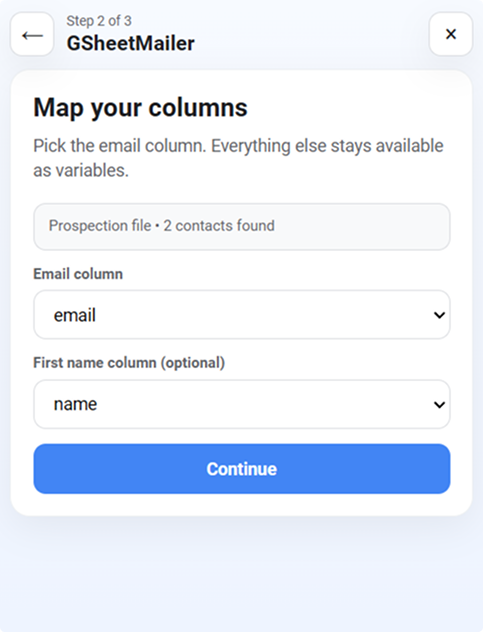
One row = one email. Every column becomes a variable: first name, company, date, link… RowPigeon fills in the message for each contact, with no scripts and no copy-pasting.
Securely connect the Google account you already use with Gmail.
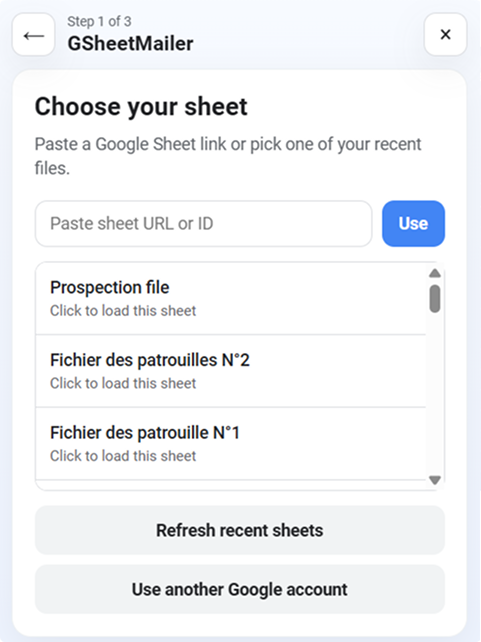
Select the sheet that contains your recipients and personalization fields.
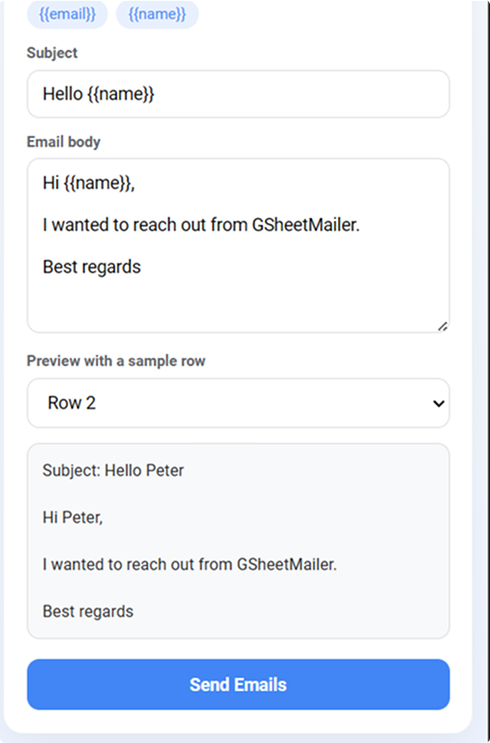
Review your message and send tailored emails without scripts or setup headaches.
A few concrete examples of what people send every week from their Google Sheet.
Freelancers & consultants
One follow-up per client, with the right quote number and the right project.
Subject
First name, did you get a chance to review quote Quote?
I'm following up about Project…
Nonprofits
Meeting notices, renewal reminders, volunteer calls: everyone gets their own message.
Subject
First name, the Chapter annual meeting is coming up
Join us on Meeting date to review the year together…
Schools & trainers
Date, room, video link: practical details arrive personalized.
Subject
Reminder: Course on Date
Hi First name, here's everything you need for…
Real estate agents
After weekend viewings, a precise follow-up for each buyer.
Subject
Your viewing of Property in City
First name, thanks for coming by. What did you think?
Recruiters
Interview invite or polite no: everyone gets a clear answer.
Subject
Your application for the Role role
Hi First name, thank you for your interest…
Events
From the invitation to the thank-you note, one list does it all.
Subject
First name, you're invited to Event
Confirm your spot in one click: Link
A short walkthrough of the workflow before you start.
Watch on YouTube →A simple, transparent, and reassuring Google workflow.
Read Privacy PolicySecure Google authentication with clear permission control.
Your contacts and messages stay inside your Google environment.
Privacy-first approach designed for modern teams.
Clear documentation with no vague promises and no confusing jargon.
You stay within standard Gmail limits (500/day on free Gmail, more on Google Workspace).
No. The goal is exactly to remove the need for scripts.
No. Sending and personalization are designed to stay in your Google workflow.
Yes, every column in your sheet can be used as a dynamic variable in your message.
Fast setup with a clear and lightweight workflow.
Install the Extension30-second install • No scripts • Works with Gmail and Google Workspace